Pular para o conteúdo
  • Documentação / Documentation
  • Soluções/ Solutions
    • 4MCAD/IDEA/FINEs
    • VARICAD
    • EZCAM
    • FREELAP
    • AXISVM
    • KOMPAS-3D
    • Lacto Spark
    • KEYCREATOR
  • NOTÍCIAS / NEWS
  • Biblioteca /library
  • forum
  • loja/shop online
  • Documentação / Documentation
  • Soluções/ Solutions
    • 4MCAD/IDEA/FINEs
    • VARICAD
    • EZCAM
    • FREELAP
    • AXISVM
    • KOMPAS-3D
    • Lacto Spark
    • KEYCREATOR
  • NOTÍCIAS / NEWS
  • Biblioteca /library
  • forum
  • loja/shop online

AutoCAD 2026 - English

9
  • Lesson 8 – Viewing Drawing
  • Lesson 7 – Drawing Curves and Points
  • Lesson 6 – Drawing Simple Lines
  • Lesson 5 – Setting up a Drawing
  • Lesson 4 – 2D Coordinates
  • Lesson 3 – Using Commands
  • Lesson 2 – Opening a Drawing
  • Lesson 1 – Starting to Draw
  • Lesson 0 – AutoCAD Interface

AutoCAD 2026 - Português

9
  • Lição 8 – Visualizar o Desenho
  • Lição 7 – Desenhar Curvas e Pontos
  • Lição 6 – Desenhar Linhas Simples
  • Lição 5 – Configurar um Desenho
  • Lição 4 – Coordenadas 2D
  • Lição 3 – Usar Comandos
  • Lição 2 – Abrir um Desenho
  • Lição 1 – Começar a Desenhar
  • Lição 0 – Interface do AutoCAD
View Categories
  • Início
  • AUTOCAD
  • AutoCAD 2026 - English
  • Lesson 3 – Using Commands

Lesson 3 – Using Commands

Topics #

Ribbon Organization #
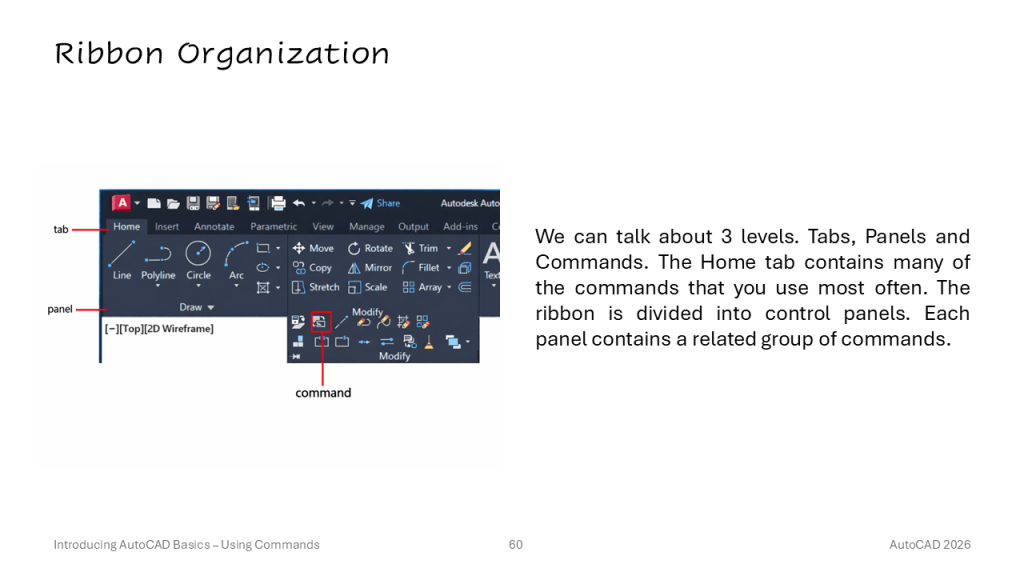
Tooltips #
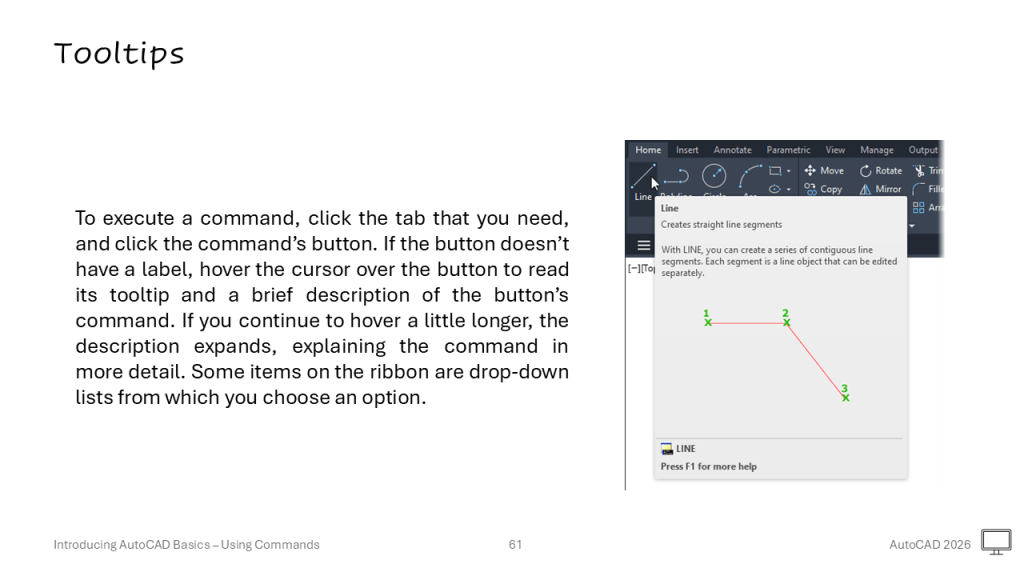
Ribbon States #
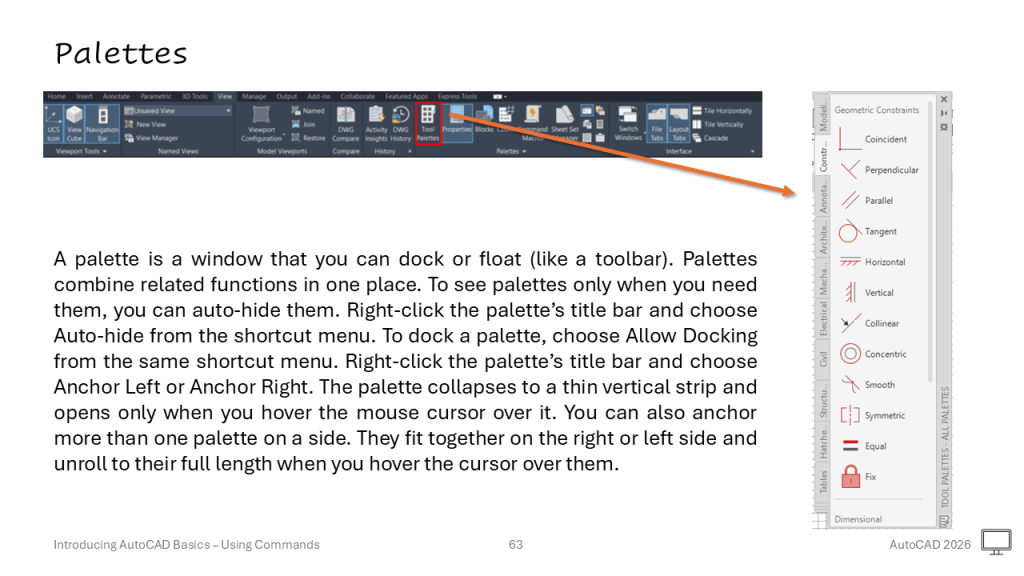
Palettes #
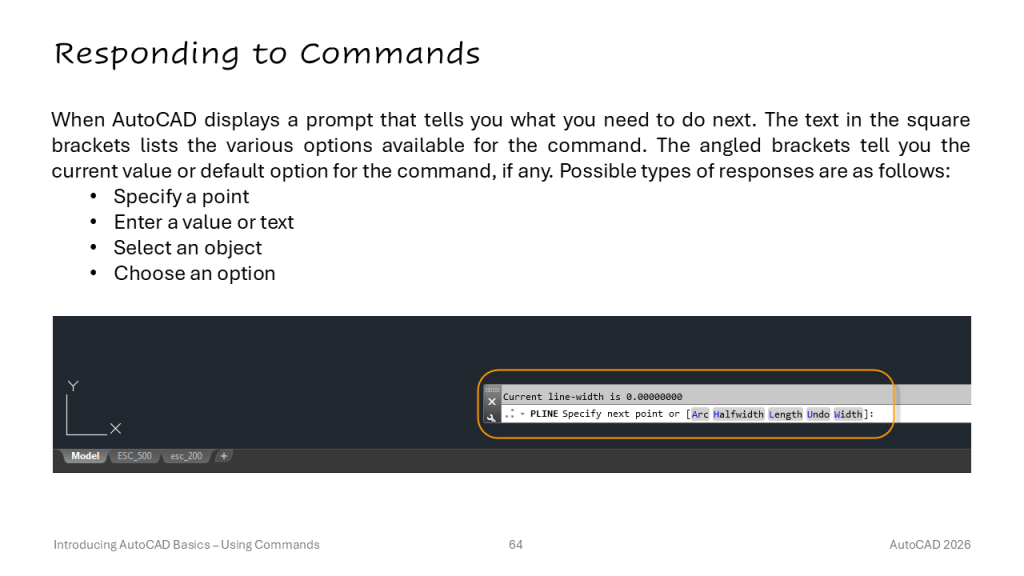
Responding to Commands #
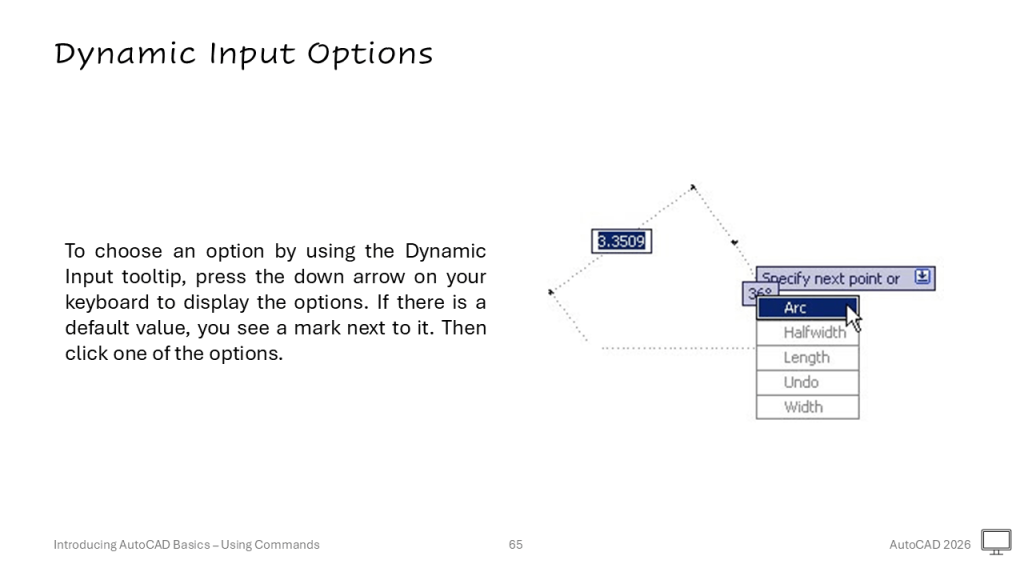
Dynamic Input Options #
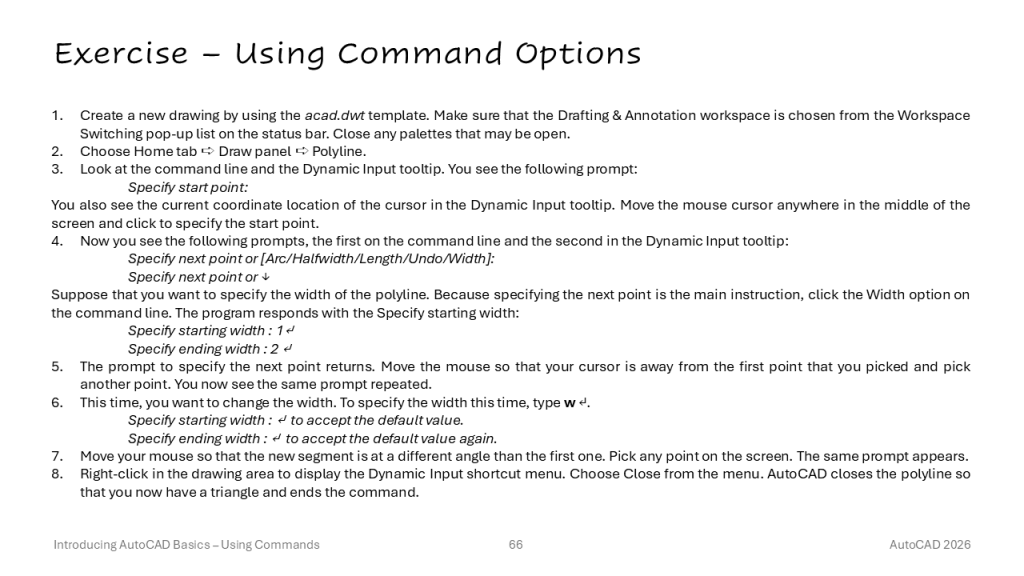
Exercise – Using Command Options #
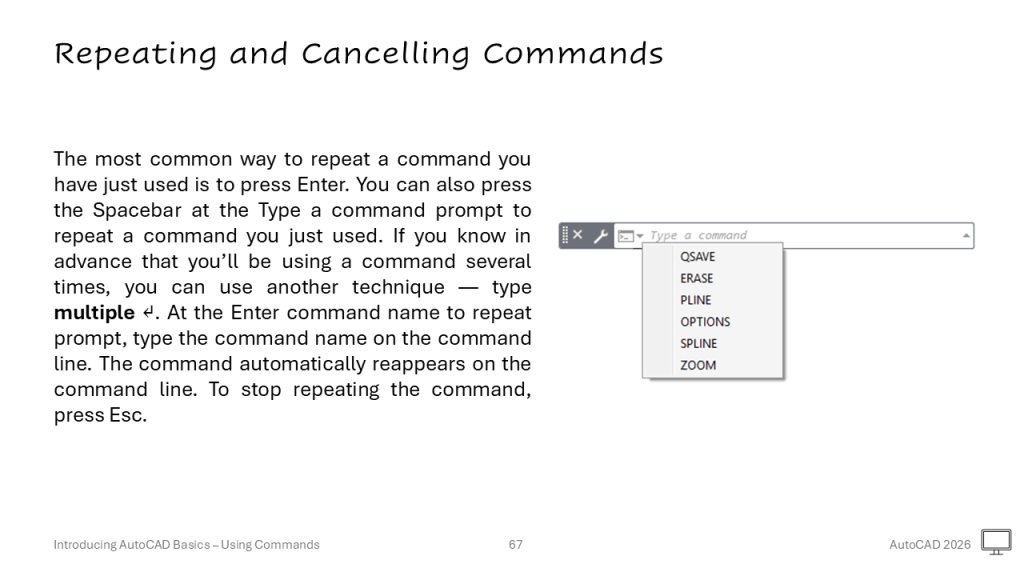
Repeating and Cancelling Commands #
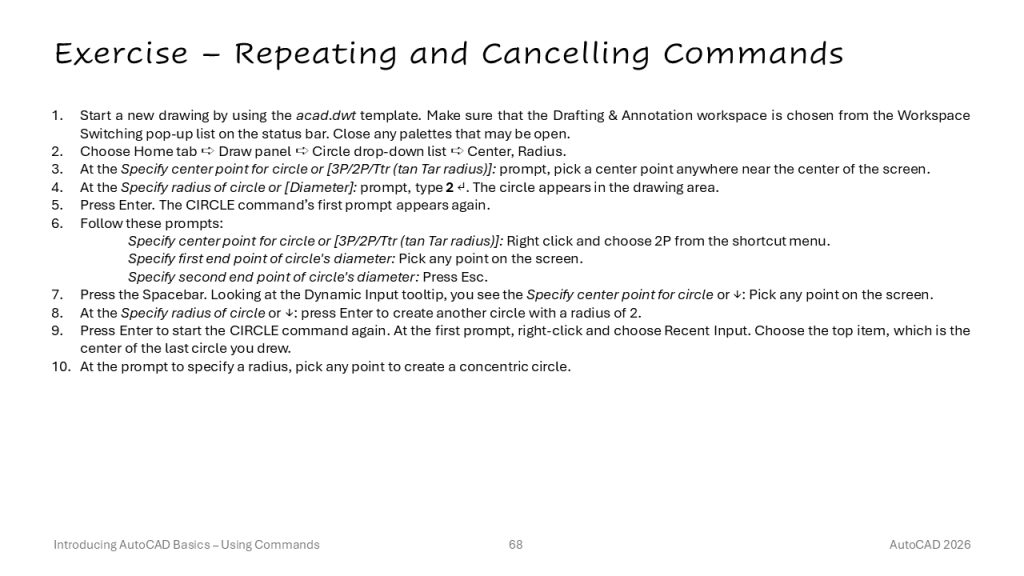
Exercise – Repeating and Cancelling Commands #
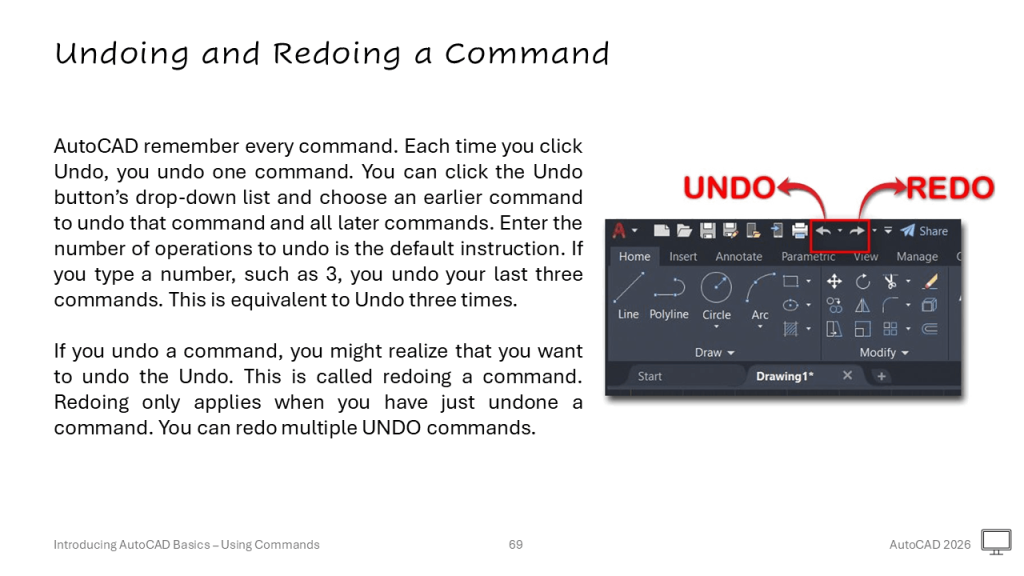
Undoing and Redoing a Command #
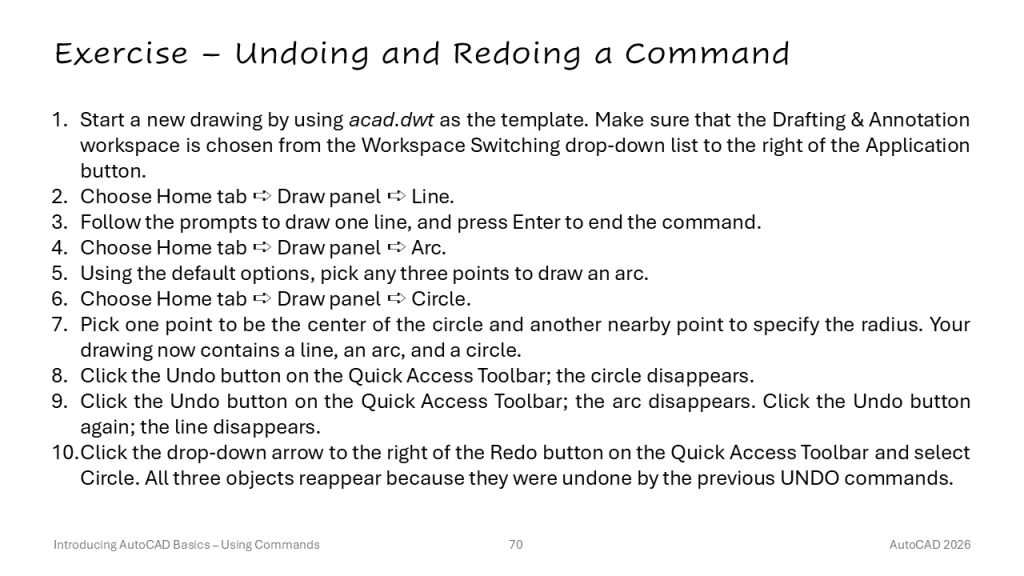
Exercise – Undoing and Redoing a Command #
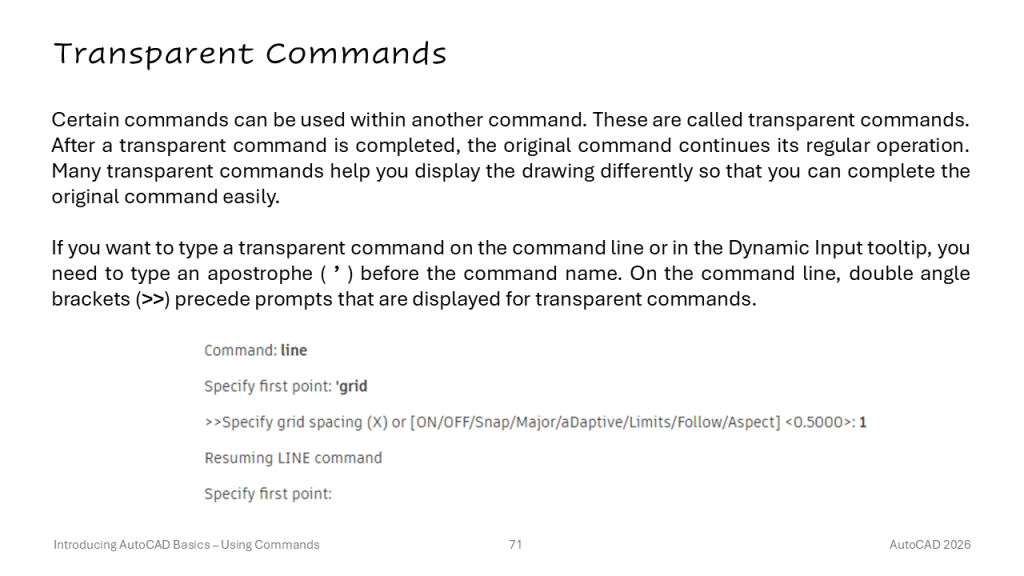
Transparent Commands #
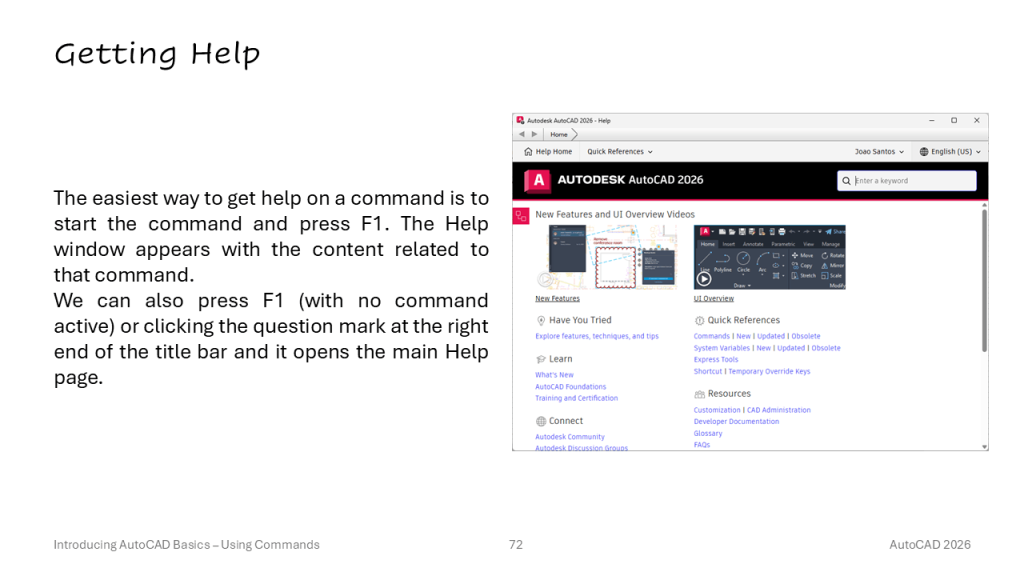
Getting Help #
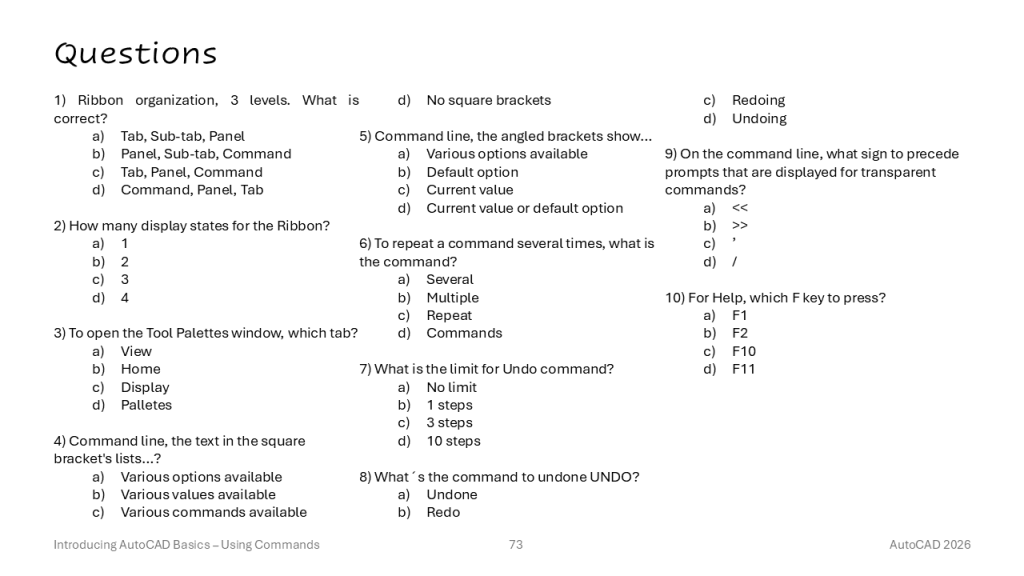
Questions #
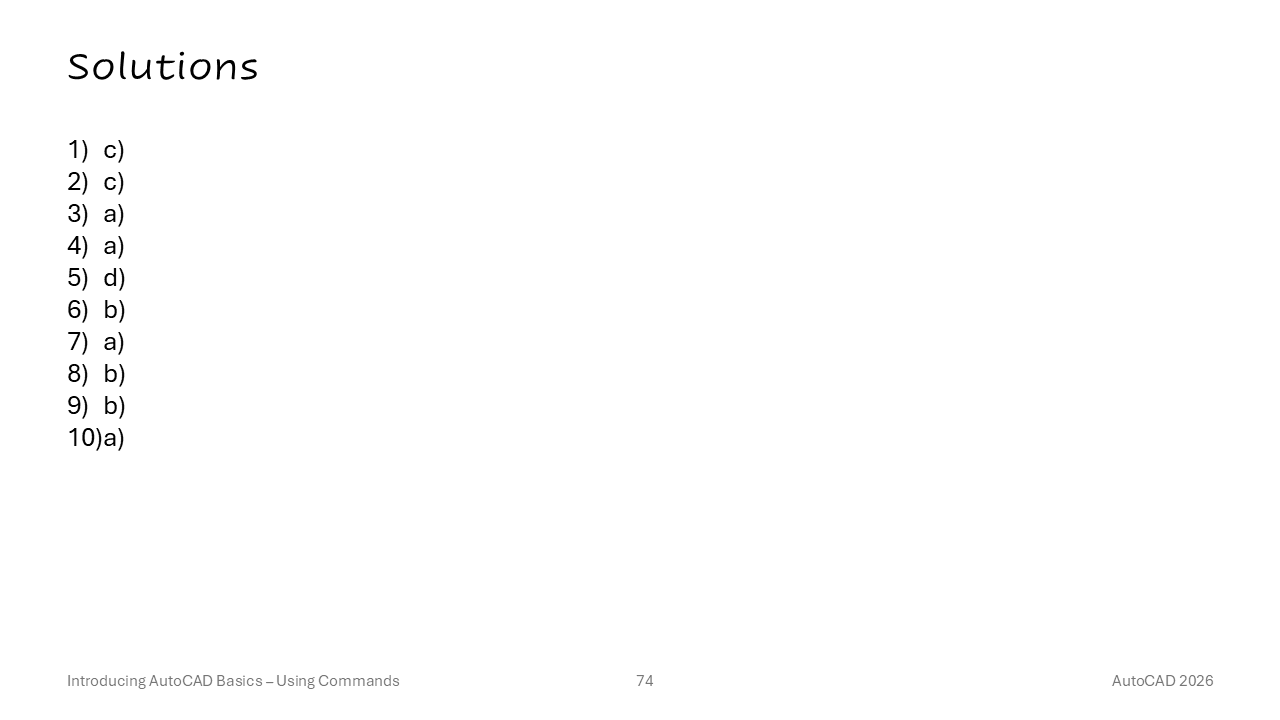
Solutions #
Summary #
Atualizado a 09/05/2026

Este artigo foi útil?

  • Satisfeito
  • Normal
  • Insatisfeito
Lesson 2 – Opening a DrawingLesson 4 – 2D Coordinates
Índice/Index
  • Topics
  • Ribbon Organization
  • Tooltips
  • Ribbon States
  • Palettes
  • Responding to Commands
  • Dynamic Input Options
  • Exercise - Using Command Options
  • Repeating and Cancelling Commands
  • Exercise – Repeating and Cancelling Commands
  • Undoing and Redoing a Command
  • Exercise – Undoing and Redoing a Command
  • Transparent Commands
  • Getting Help
  • Questions
  • Solutions
  • Summary

2025© CADsoft by Kreative Agency

Política de Privacidade